Quick Answer: A short rinse at switch-off is normal on an Impressa C60. A loud straining noise, a drip tray that gets pushed forward, and a machine that goes back to HEATING are not. The tray movement suggests physical interference around the tray, grounds container or internal brew-unit path, but it does not identify a failed part. Empty and reseat the grounds container and drip tray with the machine switched on, then switch off once more and watch. If the noise and tray movement repeat, stop using the machine and get it inspected.
Repair Service
C60 Still Straining at Switch-Off?
Tell us your machine model, what happens at switch-off, and your location. We will look for an experienced independent Jura repair technician who covers your area. There is no obligation to proceed.
What a Normal C60 Switch-Off Looks Like
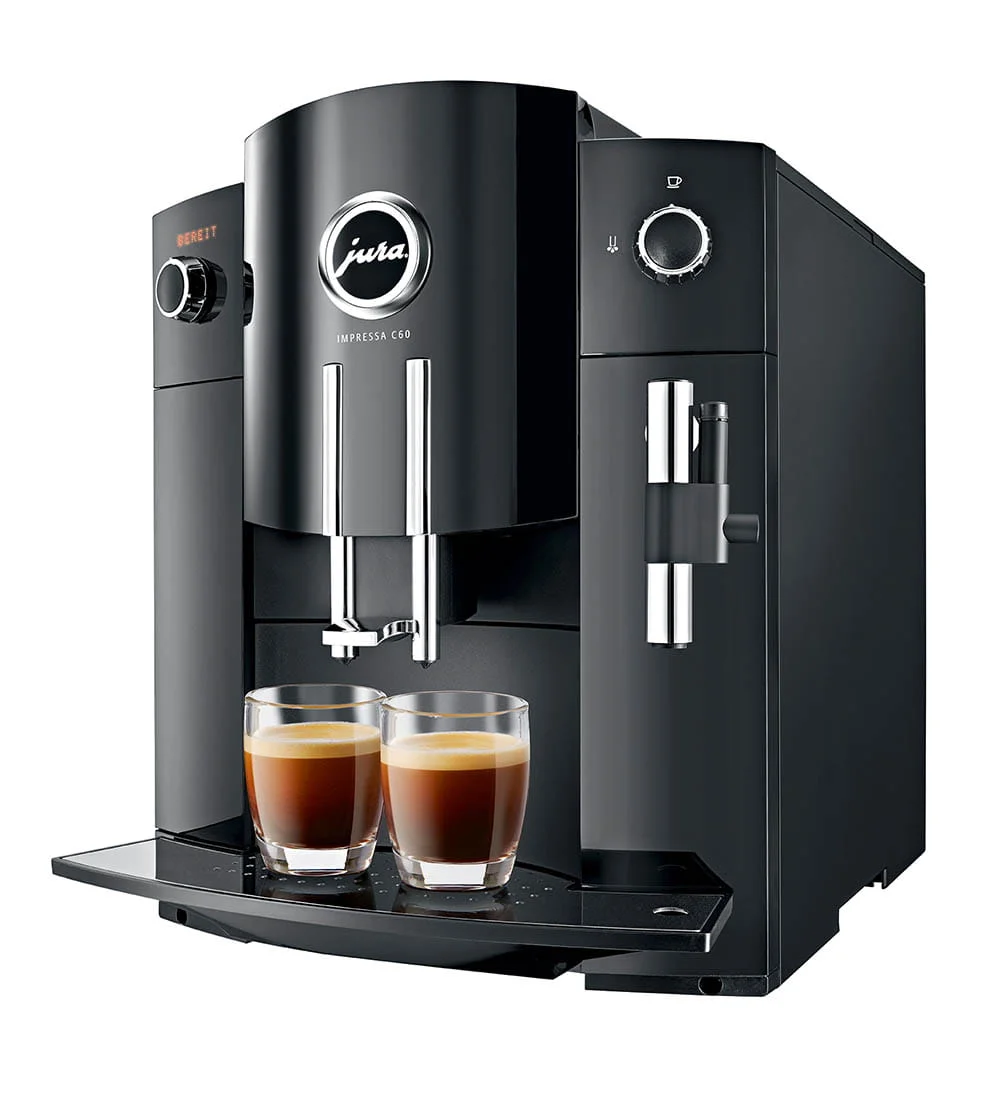
Jura’s instructions for the IMPRESSA C60 and C65 describe a simple routine. When you press the On/Off button, the machine rinses the system if a coffee was made since the last rinse. RINSING appears, water runs from the coffee spout into the cup, and the machine switches off. You hear the pump and some water. That is all.
The C60 can also switch itself off after a set time. The manual lets you set the automatic switch-off to 15 minutes, 30 minutes, or 1 to 15 hours. The manual does not say if the automatic switch-off rinses the same way. Many owners first notice this fault at the automatic switch-off, because they are not standing next to the machine when they press the button.
Three things are not part of the normal routine:
- A loud, labored mechanical noise that is more than pump hum.
- The drip tray moving forward by itself.
- HEATING on the display right after the switch-off. HEATING belongs to the start-up sequence, not the documented switch-off routine. If you see it, the sequence did not end normally.
Our Jura noise levels guide explains which sounds are normal during a brew. This guide covers the switch-off only.
Why the Drip Tray Matters
On the C60, the drip tray carries the coffee grounds container. Both slide into the cavity under the brew unit. After each coffee, the brew unit moves to drop the used puck into the grounds container. The tray stack and the brew unit share the same small space.
So when the tray moves at switch-off, something in that space is pushing against it. The likely candidates are:
- An overfull grounds container or a loose puck. A puck that missed the container can sit in the cavity and press against the tray when the brew unit moves.
- A tray stack that is not fully home. If the grounds container sits crooked on the tray, the stack can be pushed out by a normal movement.
- An internal mechanism that did not return normally. Our drip tray guide explains why the tray can be blocked after an interrupted movement. Jura’s owner manual does not diagnose this fault.
- A brew unit or drive that is meeting resistance. The Error 8 guide explains one way a struggling brew unit can fail on display machines. A strained noise is consistent with resistance, but it does not identify the part or cause.
The first two are owner fixes. The last two are not.
Step 1: Reset the Tray Stack With the Machine On
The C60 manual says to empty the grounds container only while the machine is switched on. That is the only way the grounds counter resets to zero. It also means the machine can see that the tray left and came back.
- Switch the machine on and let it finish HEATING and RINSING.
- Pull out the drip tray. Lift off the grounds container.
- Empty both and rinse them with warm water. Dry the bottom of the tray.
- Look into the cavity with a flashlight. Remove any loose puck or coffee grounds you can reach by hand. Do not push on any plastic part inside.
- Put the grounds container back on the tray. Make sure it sits flat. Slide the stack in until it stops.
Never force the tray. If it does not go fully in, read the drip tray guide before you go on.
Step 2: Watch One Switch-Off
Place a cup under the coffee spout. Press the On/Off button. Stand next to the machine and record a video with sound from start to finish.
Note four things:
- Does RINSING appear, and does water come out of the spout?
- When does the loud noise start: before, during, or after the rinse?
- Does the tray move? How far?
- Does the display go dark, or does HEATING appear?
If the switch-off is now quiet and the tray stays put, the problem was most likely the tray stack or a loose puck. Watch the next few switch-offs.
If the noise and the tray movement come back, go to the stop list below. Do not run the switch-off over and over to test it. Each cycle makes a strained mechanism work again.
Step 3: Check That Cleaning and Descaling Are Up to Date
The C60 prompts for a clean after 200 preparations or 80 switch-on rinses. The cleaning program takes about 20 minutes. The manual says to use only Jura maintenance products and not to interrupt the program.
If the CLEAN message is showing, or you have been skipping it, run the program once the machine works normally again. Coffee oil and residue build up in the brew area. A clean removes that residue. It does not replace worn seals or lubrication.
When the CLEAN Prompt Is Due
Jura Cleaning Tablets, 6 Pack
The C60 asks for one after 200 preparations or 80 switch-on rinses. A clean removes coffee residue. It does not fix a worn brew unit.
If you do not use a CLARIS Blue filter, the C60 also prompts you to descale. Follow the DESCALE prompt when it appears. Our descaling guides cover the full cycle. If you use a filter, the C60 does not ask for descaling, but it asks you to change the filter.
If Your C60 Runs Without a Filter
Jura Descaling Tablets (9 Tablets)
Jura’s own tablets for the DESCALE program. Use them only when the machine asks for it.
Our cleaning schedule shows how the clean, filter and descale prompts fit together.
What You Cannot Do on a C60
The C60 manual has no step for taking out the brew unit. You cannot remove it, rinse it, or grease it from the front, as you can on some other brands. Reaching it means opening the housing. Our brewing unit guide explains why lubrication and seal work belong to a technician: the wrong grease or a unit that goes back out of line causes new faults.
If you are handy and want to do it yourself anyway, know the risk. A brew unit that strains at switch-off may have worn seals, a tired drive, or a position fault. Those need different parts. Opening the machine without knowing which one it is can turn a seal job into a bigger repair.
When to Stop and Get It Inspected
Stop using the machine and get help if any of these is true:
- The loud noise and the tray movement come back after you reset the tray stack.
- The machine goes back to HEATING after a switch-off more than once.
- The brew unit sounds slower or louder from one day to the next.
- Any ERROR message appears. The C60 manual says to switch the machine off and contact customer support for any error other than ERROR 2 or ERROR 5, which can come from a machine that was stored in the cold. Our error codes guide lists the common ones.
- Water or coffee appears under the machine.
Send the technician your switch-off video, the model, what is on the display, and what you already tried. If you are not sure if it is a home fix, add the clip to a repair request and a technician can review it first.
Repair Service
Brew Unit Straining on Your C60?
Send us your model, what happens at switch-off, and what you already tried. We will look for an experienced independent Jura repair technician who covers your area. There is no obligation to proceed.
What It Can Cost
We do not quote a repair from a sound. The cost depends on whether the problem is a misplaced tray component, a brew-unit service, a drive fault or something else. Ask for a written diagnosis that names the failed part and the work included before you approve it.
The C60 is an older machine, so look at the whole machine before you pay. If it also has grinder trouble, leaks, or heating faults, the total can come close to the price of a newer machine. Our repair vs replace guide walks through that decision, and the C60 grinder guide covers the other common C60 fault.
Frequently Asked Questions
Why does my Jura C60 make a noise when it switches off?
A short rinse is normal. The manual says the C60 rinses at switch-off if a coffee was made. A loud straining sound, a moving drip tray, or a return to HEATING is not part of that routine, and the sound alone does not identify the failed part.
Why is the drip tray pushed out when my C60 switches off?
Something may be interfering with the tray: an overfull or crooked grounds container, a loose puck, or an internal mechanism that is not returning normally. Reset the removable tray stack first. If the tray still moves, stop and get the machine inspected.
Why does my C60 go back to HEATING after it switches off?
HEATING is part of the normal start-up sequence, not the documented switch-off routine. If it appears right after switch-off, the sequence did not end normally. If it repeats, record it and arrange service.
Can I remove and grease the brew unit on a C60?
No. The C60 manual has no step for removing the brew unit. Reaching it means opening the housing, which is a job for a technician.
Is an old C60 worth repairing?
If it heats, brews and stays dry, a brew unit service can make sense. If it also leaks, shows errors, or needs grinder work, compare the full quote with a refurbished newer Jura first.
Sources
Related
- Jura Drip Tray Will Not Go In - when a brew unit part blocks the tray
- Jura Error 8 - how a struggling brew unit fails on display models
- Jura Brew Unit Cleaning Guide - cleaning cycles and when lubrication is due
- Jura Noise Levels - what a healthy Jura sounds like
- Jura Repair Service - find an independent repair technician
As an Amazon Associate, we earn from qualifying purchases at no extra cost to you.