
Quick Answer: 90% of Jura problems - weak espresso, loud pump, slow flow, bitter taste, or no coffee - are fixed by running a cleaning tablet cycle or descaling. Start there before anything else. If the problem returns within a few weeks, the brew unit or grinder may need professional service.
When your Jura is not working right, the fix is usually simple. This guide covers the most common problems Jura owners encounter, organized by symptom so you can find your issue fast. Each section below gives the likely causes in the order to check them, with a link to the full fix guide.
Numbered error, water leaking inside the machine, or a cycle that will not finish?
Those need a technician, not another cleaning cycle. Tell us the machine and the fault. We look for a repair shop that covers your area, or set up a remote video diagnosis. No obligation.
Quick Diagnosis Table
| Symptom | Likely Cause | Fix |
|---|---|---|
| Weak or watery espresso | Grind too coarse or stale beans | Adjust grind finer; use fresh beans |
| Espresso too bitter | Grind too fine or dirty brew group | Adjust grind coarser; run cleaning tablet |
| No coffee coming out | Scale blockage or empty tank | Descale; check water tank |
| Milk foam is thin or watery | Dirty milk circuit or warm milk | Clean milk system; use cold, fresh milk |
| Machine is very loud | Scale buildup or air in system | Descale; run a few rinse cycles |
| Error message on display | Varies - see below | Check specific error code |
| Coffee temperature too low | Cup not preheated or rinse needed | Preheat cup; run hot water first |
Tap a symptom for the full step-by-step fix guide.
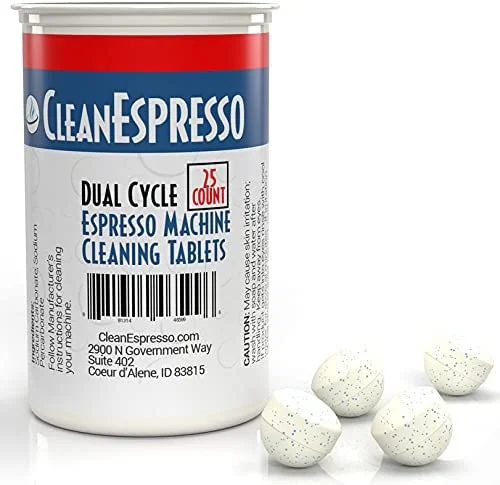
Start with Cleaning and Descaling
90% of Jura problems - weak espresso, loud pump, slow flow, bitter taste - are fixed by cleaning tablets or a descaling cycle.
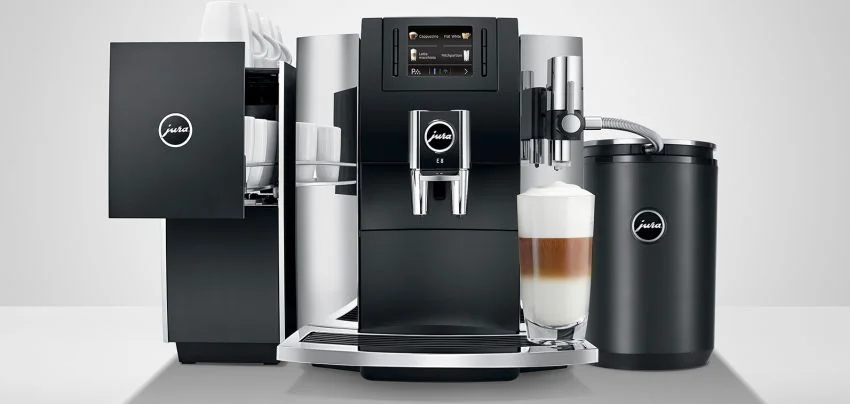
Repair Costs $200-400 - Fix It, or Put It Toward an Upgrade?
Recurring faults after cleaning usually mean a worn brew group or pump. The E8 starts fresh with a 2-year warranty. Read our full E8 review to see if it fits your setup.
Check E8 - Best Value Pick →Jura Error Codes
A numbered error means the machine detected a process it could not complete, and on most models it switches itself off a few seconds later. The number does not name a broken part. It names the process. Each guide below explains what the machine was trying to do, which models show the code, what to try at home, and what a technician repair costs in the US.
| Code | What it means | First steps |
|---|---|---|
| Error 1 | Coffee temperature sensor reading below range | Power cycle; sensor or fuse service if it returns |
| Error 2 | Coffee temperature sensor above range, often a cold machine | Warm the machine to room temperature; service if it persists |
| Error 3 | Steam thermoblock sensor fault (S, J, Z, X, GIGA) | Power cycle, descale; sensor service if it returns |
| Error 5 | Thermoblock not heating | Power cycle, descale if it still heats a little; otherwise service |
| Error 6 | Ceramic valve cannot find its position | Power cycle, full descale; valve replacement if it returns |
| Error 7 | Second ceramic valve (Z, X, J); brew group on Impressa 500 and Ultra | Descale; valve or brew group service |
| Error 8 | Brew group did not complete its movement | Power cycle, empty grounds, cleaning cycle; brew group service if it returns |
| Error 10 | Heater overheated from mains interference | Different outlet plus surge protector; service if it persists |
| Error 15 | Milk system stepper motor could not initialize (E, J, WE, X) | Disconnect milk hose, power cycle, clean milk system; service if it returns |
| Error 22 | CLARIS Smart filter not recognized | Reseat or replace the filter; RFID reader repair if a new filter fails |
| Error 11, 13, 17 (GIGA) | GIGA-only codes: grinder sensor, grinder start or brew unit position | Check the GIGA table; the GIGA numbers differ from home models |
Maintenance prompts such as Clean Machine, Descale, Replace Filter, and Fill Bean Container are not error codes. They are covered, together with every other display message, in the Jura error codes guide. On color display models, a yellow or amber prompt means action is needed soon but the machine still brews; a red or flashing prompt blocks brewing until you resolve it. If a numbered error returns after a power cycle, stop forcing brews and request a repair technician.
Espresso Quality Problems
Weak or Watery Espresso
The most common complaint. Usually caused by one of these:
- Grind is too coarse. Adjust the grinder one notch finer. Wait 2-3 cups for the change to take effect (the old grounds need to clear).
- Beans are stale. Coffee beans lose flavor within 2-4 weeks of roasting. Check the roast date. See our bean guide.
- Strength setting is too low. Increase the coffee strength in the drink settings.
- Brew group needs cleaning. Oil buildup reduces extraction. Run a cleaning tablet cycle.
- Drink volume is too high. If someone set the espresso to 80ml instead of 40ml, it is diluted. Reset the drink to its default volume.
- Worn grinder burrs. On a machine 5+ years old that keeps getting weaker with fresh beans and a clean brew group, the burrs may need replacement.
| Symptom | Most likely cause | First fix |
|---|---|---|
| Weak since day one | Grind too coarse or strength too low | Grind finer, increase strength |
| Was strong, now weak | Dirty brew unit or stale beans | Run a cleaning tablet cycle |
| Watery with no crema | Wrong roast or very stale beans | Switch to a fresh medium-dark roast |
| First cup weak, rest fine | Machine not fully warmed up | Run a rinse cycle before the first brew |
| Weak despite finest grind | Worn burrs or scale buildup | Descale, then call a technician |
For a detailed walkthrough of all 7 causes and fixes, see our Jura weak or watery coffee guide.
Jura Cleaning Tablets
Oil buildup is the #1 cause of weak, flat espresso. A 10-minute cycle often restores full flavor immediately.
If Beans Are the Cause: Lavazza Super Crema
Medium-dark, dry surface, works at default grind settings. The most consistent performer in a Jura across espresso and milk drinks.
Espresso Is Too Bitter or Harsh
- Grind is too fine. Adjust one notch coarser.
- Water temperature is too high. Some models let you lower the brewing temperature.
- Beans are over-roasted. Try a medium roast instead of a dark roast.
- Brew group is dirty. Old coffee oils produce bitter off-flavors. Clean immediately.
Coffee Temperature Is Too Low
- Preheat your cup. Run hot water into the cup before brewing, or use the cup warmer if your model has one.
- Run a rinse cycle first. The first cup after startup may be cooler because the system is still warming up.
- Check temperature settings. Some Jura models (E8, S8, Z10) allow you to increase the brewing temperature per drink. A firmware update can reset these to Medium, so check them again after one.
- Descale. Scale on the heating system acts as insulation. If coffee has been getting cooler over weeks or months, scale is the likely cause.
Full walkthrough: Jura coffee not hot enough.
Milk System Problems
Thin or No Milk Foam
- Clean the milk circuit. This is the most common cause. Milk residue blocks the frothing mechanism. See our milk frothing guide.
- Use cold, fresh milk. Whole milk froths best. Use milk straight from the refrigerator - warm milk does not foam properly.
- Check the milk tube. Make sure it is not kinked, cracked, or improperly seated.
- Check the froth dial. Some models have an adjustable foam density dial on the milk spout. Turn it toward the “more foam” setting.
Milk Spits, Sputters, or Gives No Foam at All
- Tube not submerged. A low milk level or a curled tube makes the frother pull air. Refill the container or reposition the tube.
- Cracked tube or dirty connector. A hairline crack is enough to let air in. Replace a damaged tube. Soak the connector in warm water for 10 minutes and clean it with a small brush.
- Blocked milk circuit. After a long gap between cleanings, milk protein can block the frothing channels completely. Run the milk system clean twice in a row. Then remove the tube and blow through it. If it is blocked, soak it in warm water with a drop of dish soap for 30 minutes.
- Still no foam after cleaning. The internal frothing valve or pump may need a technician.
More detail: milk frother sputtering fix and the milk frothing guide.
Milk Tastes Sour or Off
The milk circuit has residue buildup. Run the milk system cleaning program immediately, then flush with clean water 2-3 times. Going forward, rinse the milk circuit after every use.
Jura Milk System Cleaner
Removes milk residue from the circuit, tubes, and frothing spout. Use after every 200 milk-based drinks.
Machine Operation Problems
Machine Will Not Turn On
- Check that the power cord is fully seated in both the machine and the outlet.
- Try a different power outlet. In countries with fused plugs (UK), check the plug fuse.
- Find the power switch. Many models have a main switch on the side or back, separate from the front button.
- Rule out standby and lock. Press the power button once and wait 30-60 seconds for the startup rinse. Some models have a control lock in Settings that disables the display.
- If the machine was recently moved, wait 15 minutes before turning it on (the internal systems need to settle).
If none of these work, the cause is usually an internal fuse or control board. Full walkthrough: Jura not turning on.
Loud Grinding or Pumping Noise
- Descale the machine. Scale is the most common cause of loud pump noise. See our descaling guide.
- Check for air in the system. Run 2-3 hot water cycles to purge air bubbles.
- Check the bean hopper. Small stones or debris occasionally make it into coffee bean bags. Remove the beans and inspect.
| Grinder sound | Likely cause | Action |
|---|---|---|
| Loud crunching or cracking | Foreign object in beans | Empty hopper, inspect inlet, remove object |
| High-pitched squeal | Very dry beans or very fine grind | Coarsen grind 1-2 steps |
| Grinds but nothing comes out | Bean gate closed or beans bridging | Open the gate, stir the beans |
| Louder over months | Burr wear | Burr replacement by a technician |
| Rattle during grinding | Loose hopper or part | Reseat the hopper |
Do not run the grinder again and again while it makes an unusual sound. One stone can damage the burrs.
Jura Descaling Tablets
Scale is the most common cause of loud pump noise. A full descaling cycle takes 30 minutes and is fully automated.
Machine Leaks Water
- Check the drip tray. It may simply be full. Empty and reseat it.
- Check the water tank seal. Remove the tank, clean the seal area, and reseat firmly.
- Check the tank level. A tank filled above MAX overflows during the startup rinse.
- Check the milk and water hoses. Look for cracks or loose connections.
- If the tray is empty, the tank is seated, and water still pools under the machine, switch it off and stop using it. An internal tube or seal has failed, and continued use can cause electrical damage.
Machine Shuts Off Mid-Brew
- Loose power connection. A loose cable can cut out under the load of brewing. Check both ends.
- Water tank ran empty. The machine stops when the tank runs dry. Refill and restart.
- Thermal protection. After many drinks in a row, or a cleaning cycle followed by brews, let the machine rest for 10 minutes.
- Brew group resistance. If the brew group meets resistance, the machine aborts and shows an error. See Error 8.
- Same point every time. A shutdown at the same moment in every brew points to a pump, sensor, or control board fault. That needs a technician.
Repair Service
Rather have a technician fix it?
A numbered error, a leak inside the machine, or a fault that keeps coming back needs a technician. Tell us your machine, the fault, and your location. We look for a repair technician who covers your area. No obligation.
Coffee Grounds in the Cup
- Dirty bypass doser. If you use the pre-ground chute, leftover grounds can fall through during normal brews. Clean it with a dry brush.
- Dirty brew unit. Grounds inside the brew group can pass into the cup. Run a cleaning tablet cycle.
- Grind too fine. Very fine settings on dark, brittle roasts make micro-grounds. Go one step coarser.
- Worn brew unit. If grounds continue after cleaning, the brew unit screen may be worn and need replacement.
Cleaning Cycle Problems
- Still asks to clean after the cycle. Put a fresh tablet in the bypass doser (the pre-ground chute), not the bean hopper, and run the cycle again. Confirm every on-screen step so the counter resets.
- Cycle stops halfway. A cleaning cycle uses more water than a brew. Refill the tank and press continue. If it does not resume, switch off for 30 seconds and switch on again.
- Coffee still tastes off after cleaning. The cleaning cycle does not remove scale. Run a descaling cycle as well. If descaling itself stalls, see descaling not working.
WiFi and J.O.E. App Not Connecting
This applies to models with WiFi built in (Z10, S8, J8, WE8) and the E8 with the WiFi Connect adapter.
- Use 2.4GHz. Jura machines do not connect on 5GHz. If your router broadcasts two networks, pick the 2.4GHz one.
- Reconnect after router changes. A new router password or firmware update (band steering, WPA version) can break the link. Re-enter the details under Settings > WiFi.
- Check internet, not only WiFi. The app talks to the machine through the cloud. Both the phone and the machine need internet access.
- Distance. Kitchens are often far from the router. A WiFi extender in the kitchen helps.
- Reset WiFi settings. Go to Settings > WiFi > Reset on the machine and set up the connection from the start.
Full guide: Jura Z10 WiFi connection problems.
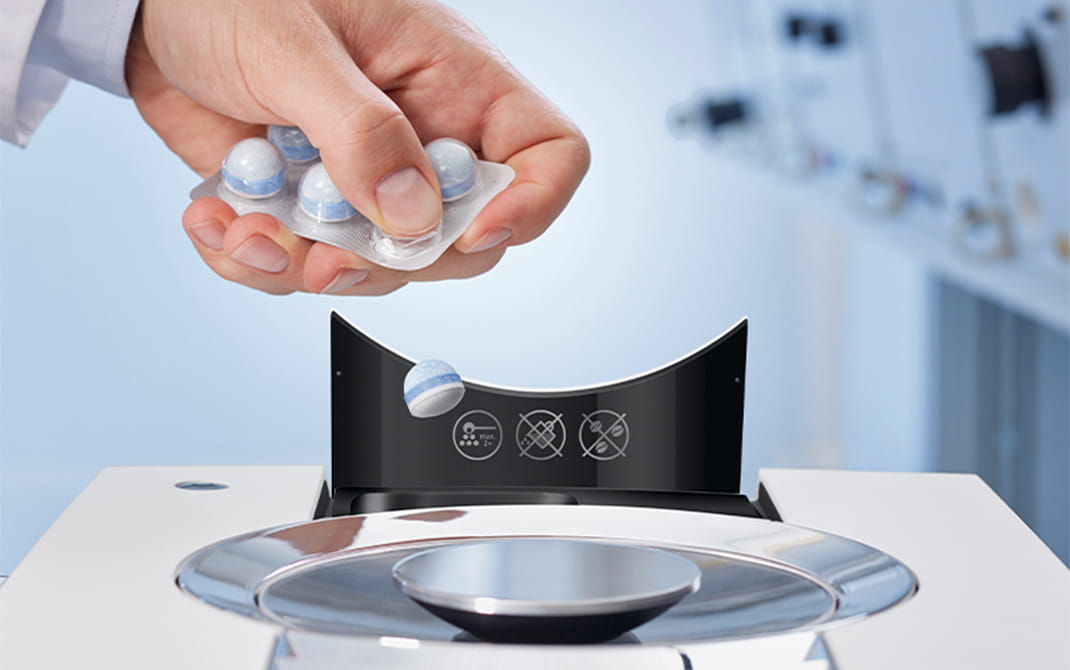
Cleaning and Descaling Tablets
Weak taste, slow flow, loud pump, bitter espresso - most issues are solved by a cleaning or descaling cycle.
Jura CLARIS Water Filter (~$17)
Hard water is the root cause of most pump noise, slow flow, and heating issues. Replace every 2 months to keep limescale out.
Check Filter PriceWhy Does My Jura Say “Fill Bean Container” When It Is Full?
A “fill bean container” or “fill beans” message with a full hopper is almost always the bean gate - a small slider under the hopper that has shifted toward the closed position - or oily beans bridging above the grinder so nothing reaches the burrs. Slide the gate fully open, stir the beans gently with a wooden spoon handle, and brew again; the message clears once the grinder pulls beans normally. Dark, oily roasts cause repeat episodes because residue narrows the chute - a cleaning tablet cycle and a drier medium roast usually stop them. The related “fill powder” message means the machine expected pre-ground coffee in the bypass funnel and did not detect enough - add a level scoop or select a bean drink instead. For the full seven-step diagnosis including sensor cleaning and worn burrs, see our “Fill Bean Container” error fix; every other display message is covered in the Jura error codes guide.
How Do I Reset a Jura Coffee Machine?
There is no hidden reset button on a Jura - the standard reset is a power cycle: switch the machine off, unplug it, wait 15-20 minutes, then plug it back in and turn it on. The wait matters because internal sensors need time to fully discharge; a quick off-and-on often changes nothing. For a full factory reset, open the settings menu (the P button or gear icon on touchscreen models), select Machine settings, scroll to Factory settings, and confirm. This wipes your saved drink recipes and water hardness setting, so reprogram those afterward. If the same fault message returns after a reset, look it up in our Jura error codes guide before calling service.
Why Is My Jura Stuck on “System Filling”?
A Jura stuck on “system filling” almost always has air trapped in the water circuit or a blocked water path - not a dead pump. Remove the CLARIS filter from the tank temporarily (the machine runs fine without a filter short-term), fill the tank with warm (not boiling) water, and run several rinse or hot water cycles to get the flow meter moving. Also press the small spring-loaded valve at the bottom of the water tank with a finger - if it sticks, rinse it under warm water until it moves freely. This problem is especially common after the machine sits unused for weeks. If nothing flows, unplug the machine with the tank and drip tray removed for 20 minutes, then retry.
Why Does My Jura Say “Empty Drip Tray” When It Is Already Empty?
A false “empty drip tray” or “empty grounds container” message is usually caused by wet coffee residue on the metal contact strips, not a real sensor failure. The machine detects the tray through two small metal contacts on its back edge; when coffee sludge bridges or coats them, the reading goes wrong. Pull the tray out, wash the contact strips with soapy water, wipe the matching contacts inside the machine with a damp cotton swab, and dry everything completely before reinserting. For the grounds container version of this message, wait a full ten seconds before sliding the tray back in so the counter actually resets. If the message persists after cleaning, look it up in the Jura error codes guide.
Why Is My Jura Brewing So Slowly or Only Dripping?
Slow, drip-by-drip brewing means water is fighting resistance somewhere - the grind is too fine, scale has narrowed the water lines, or the brew group screen is clogged with old coffee oils. Fix it in this order: adjust the grinder one notch coarser (only while the grinder is running, and give it 2-3 cups to take effect), run a full descaling cycle, then run a cleaning tablet cycle to clear the brew unit. If flow improves after descaling but degrades again within weeks, your water is hard - a CLARIS filter changed on schedule stops the scale from rebuilding.
How Often Should a Jura Be Cleaned and Descaled?
Run a cleaning tablet cycle roughly every 180 brews (the machine prompts you automatically), rinse the milk system after every day of milk drinks, and descale every 2-3 months if you run the machine without a water filter. With a CLARIS filter replaced on time - about every two months of normal use - Jura states descaling is not required at all, because the filter removes the minerals that form scale. Do not descale more often than prompted; the acid cycle is stress on seals when it is not needed. Our Jura cleaning schedule and descaling frequency guide break the full routine down by daily, weekly, and monthly tasks.
When to Contact Jura Service
Most issues are solvable at home. Contact Jura service if:
- The machine displays a persistent error code after restarting
- There is internal leaking (water coming from inside the machine, not the drip tray)
- The grinder makes unusual metallic sounds
- Descaling or cleaning cycles fail to complete
- The grinder produces no output after you check for obstructions
- The machine is 5+ years old and declining steadily despite regular maintenance
- The machine is under warranty and the issue is not resolved by basic troubleshooting
For an older machine, compare the repair quote with the price of a new one first. Our guides to repair vs replace and how long Jura machines last help you decide.
Repair Service
Need a Jura Repair Technician?
Tell us your machine, the problem, and your location. We will look for an experienced repair technician who covers your area. There is no obligation to proceed.
When repairs are not worth it
Older machine? It may be time to upgrade.
If your Jura is 6+ years old and experiencing recurring issues, repair costs can quickly exceed the machine’s value. The E8 starts fresh - new brew group, new grinder, 2-year warranty.
Prevention
Most Jura problems are preventable with regular maintenance:
- Cleaning guide - Daily, weekly, and monthly cleaning
- Descaling guide - Prevent scale damage
- Brew unit cleaning guide - Keep the heart of your machine running
- Maintenance schedule - Complete care overview
- Cleaning schedule - When to do what
- Best beans for Jura - Avoid grinder issues
- “Fill Bean Container” error fix - Hopper full but error showing?
- Jura error codes guide - All error messages explained
Free Weekly Alerts
Get Jura Maintenance Reminders
We send a weekly digest: cleaning schedules, deal alerts, and tips to keep your Jura running longer. No spam - unsubscribe any time.
No spam. Unsubscribe any time.
As an Amazon Associate, we earn from qualifying purchases at no extra cost to you.
Back to all guides | See also: Espresso settings | Maintenance | Descaling stuck or not completing | Milk frother sputtering fix | Jura maintenance indicators guide | Jura Impressa J9 guide
Common Fix Products
Useful picks for issues like weak coffee, flow problems, and consistency.
As an Amazon Associate, we earn from qualifying purchases at no extra cost to you.
Coffee Water Filters
Addresses one of the most common root causes: scale and water quality.
View on Amazon
Coffee Tools & Accessories
Small tools can improve consistency when dialing in everyday drinks.
View on AmazonJura E8
If your current machine is aging, this is the strongest value replacement.
View on Amazon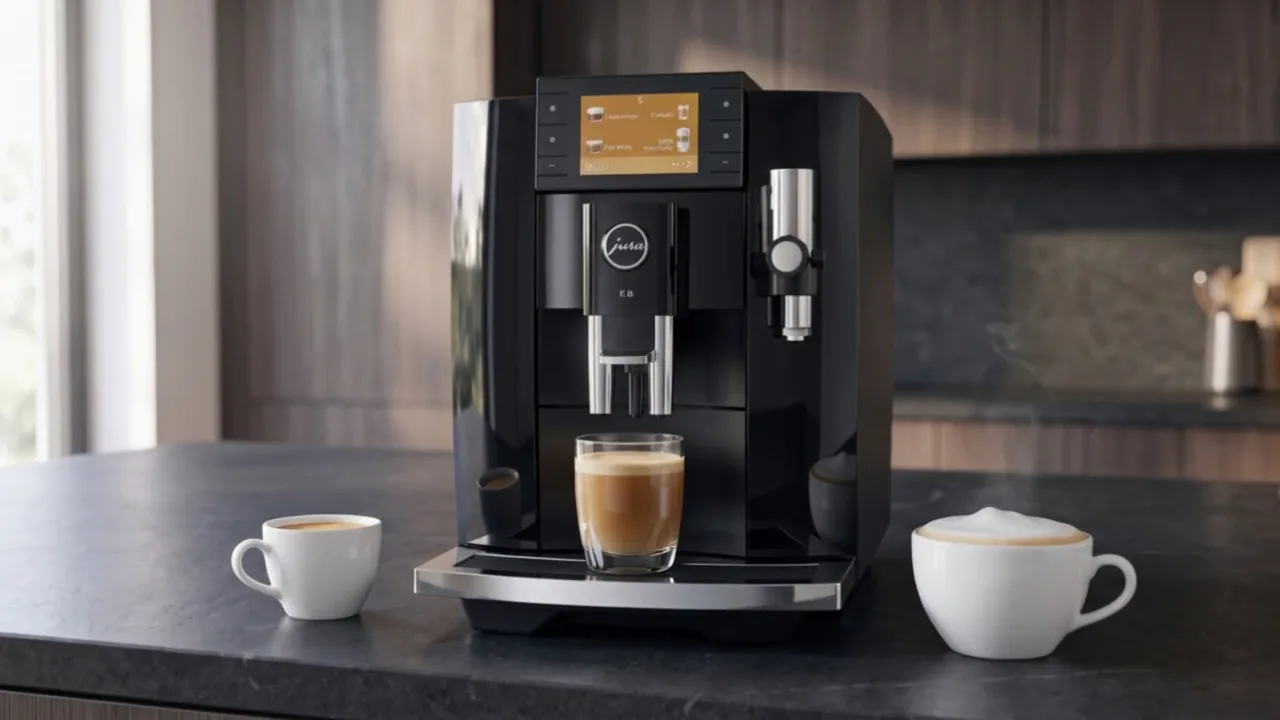 Our top pick
Jura E8 (5th generation)
The best-value premium Jura for most homes: flagship-style milk drinks without the flagship price.
- 27 one-touch specialties
- HP3 fine foam milk system with Sweet Foam
- P.A.G.2 grinder with 7 grind levels
- Hot Brew and Light Brew coffee styles