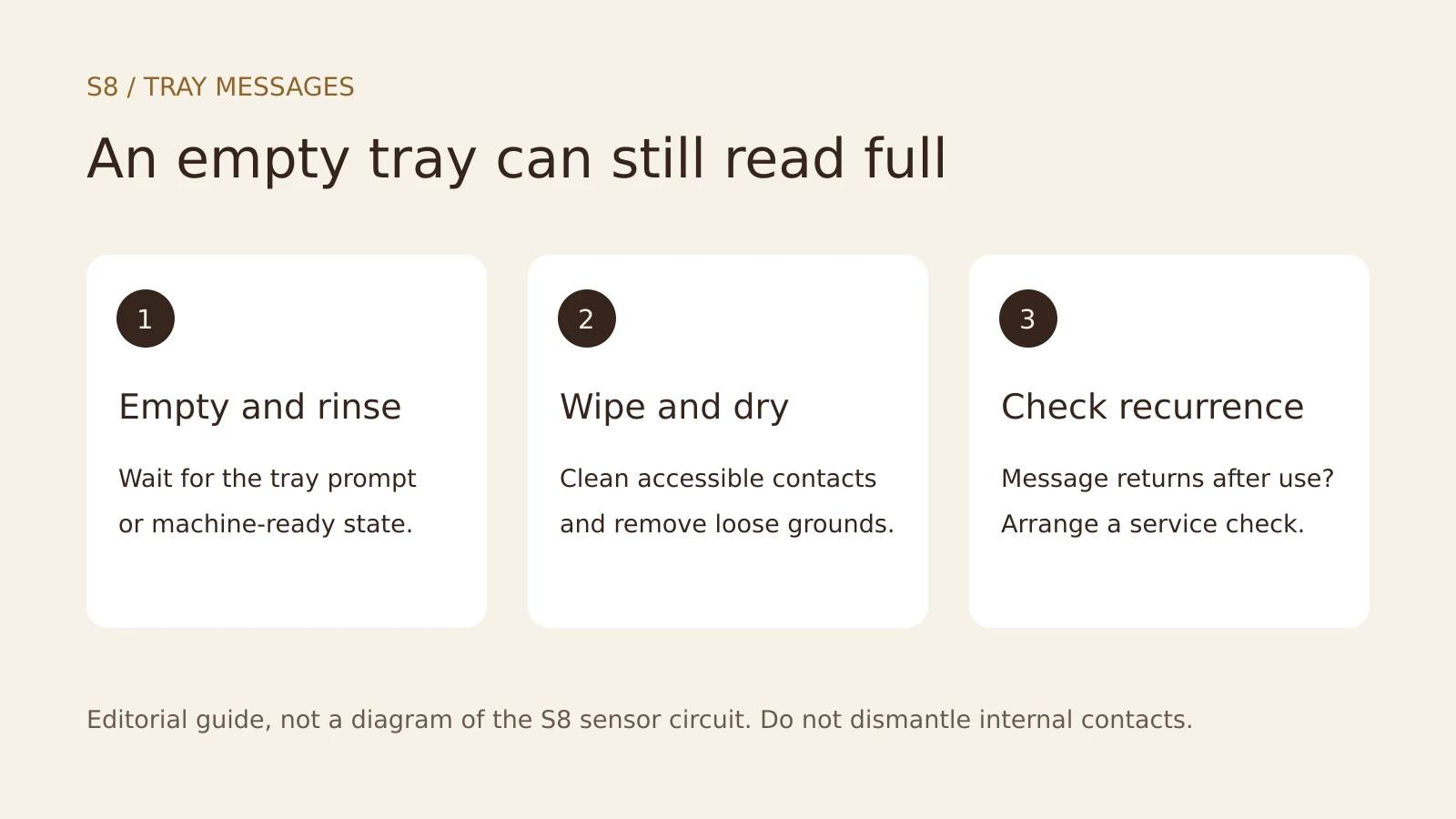
Quick answer: Empty and rinse the S8 tray when prompted, remove loose grounds, dry the tray’s accessible metal contacts and reseat it fully. If the warning remains or returns after normal use, arrange service. Another cleaning tablet or descale is not a fix for a tray-detection fault.
As an Amazon Associate, we earn from qualifying purchases at no extra cost to you.
The S8 manual distinguishes Empty drip tray from Drip tray not fitted. The first stops preparation because the tray is read as full; the second means it is absent or incorrectly inserted. An alternating warning can occur even when the tray contains little water.
Why it can happen after maintenance
Filter rinsing, coffee cleaning and descaling send water into the tray. The S8 manual explicitly says that filter-rinsing water flows directly into it. Splashing, residual moisture or loose grounds can therefore coincide with a tray warning after maintenance.
The manual gives the display messages and owner actions, but does not publish a sensor circuit diagnosis. Treat contact contamination as something to check, not proof of a specific electrical failure.
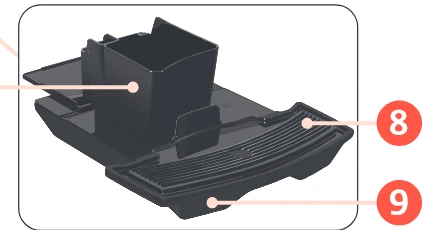
Check the tray without dismantling it
- Wait for a tray prompt or the ready state. Never pull the tray during brewing. If maintenance is active, follow its prompts.
- Empty the tray and grounds container. Emptying the grounds container while the machine is switched on resets its counter, as described in the manual.
- Rinse the removed parts with warm water. Remove loose wet grounds and residue around the tray’s accessible metal contacts.
- Dry thoroughly with a soft cloth. Allow remaining moisture to air-dry. Do not scrape, bend or remove the contacts.
- Inspect the accessible tray bay. When no program is running, switch off and unplug before wiping reachable surfaces. Remove loose grounds with a soft cloth; do not spray liquid into the machine or reach into the housing.
- Refit the assembled tray fully. Reconnect and switch on once everything is dry. Note whether the message clears and when it returns.
Avoid a hair dryer, solvents, abrasive pads or metal tools. A damp bay may need more drying time, but there is no guaranteed number of hours that proves the fault has cleared.
What the next warning tells you
| Observation | Next action |
|---|---|
| Warning clears after drying and seating | Resume normal use and monitor it |
| Tray will not seat normally | Check assembly and loose debris; do not force it |
| Warning returns soon after a rinse or drink | Request a check for moisture ingress or a detection fault |
| Water appears beneath the machine | Stop use, switch off and arrange service |
| Contacts look damaged or corroded | Request service rather than scraping or bending them |
A returning warning does not identify a drain valve, board or sensor on its own. Take a photo of the display and record whether the tray is genuinely filling or is nearly empty.
Repair Service
S8 Tray Warning Keeps Returning?
Tell us which tray messages appear and whether they return after rinsing or brewing. We will look for an independent technician who covers your area.
Keep normal maintenance separate from this fault
Once the tray is detected normally, continue the programs the machine actually requests. Keep Jura coffee cleaning tablets from Amazon for the coffee circuit and Jura milk system cleaner from Amazon for days you prepare milk.
If descaling is due, check Jura descaling tablets on Amazon and follow the instructions for your S8 version. None of these products is a contact cleaner or a treatment for a false tray warning.
The S8 maintenance guide covers the regular schedule. Our cleaning-tablet versus milk-cleaner guide explains the separate circuits, while the descaling guide covers scale maintenance.
Frequently asked questions
Why does an empty S8 tray still trigger a warning?
Moisture, residue or poor seating can interfere with tray detection. The message does not establish which contact or internal component has failed. Empty, rinse, dry and reseat the tray before requesting service.
Should I pull the tray out during cleaning?
Only remove it when the display requests it or when the machine is ready for use. Follow the cleaning or descaling prompts and do not interrupt an active cycle simply to test the warning.
Should I use a hair dryer or remove the contacts?
Neither is part of the owner checks here. Air-dry the removed tray, wipe accessible surfaces gently and leave internal contact removal, electrical testing and replacement to a technician.