Quick Answer: “Open switch” and “Open tap” are prompts, not errors. The machine wants you to turn the switch for hot water and steam anticlockwise so water or steam can leave through the frother. Wait until “Close switch” or “Close tap” appears, then turn the switch clockwise again. If the prompt stays after you turn the switch, either water is not reaching the outlet (tank, float, filter, blocked frother connector) or the machine does not register the switch position.
Repair Service
Machine Will Not Get Past Open Switch?
Tell us your model, the exact text on the display, and whether any water comes out when you turn the switch. We will look for an experienced Jura repair technician who covers your area. There is no obligation to proceed.
What Do “Open Switch” and “Open Tap” Mean?
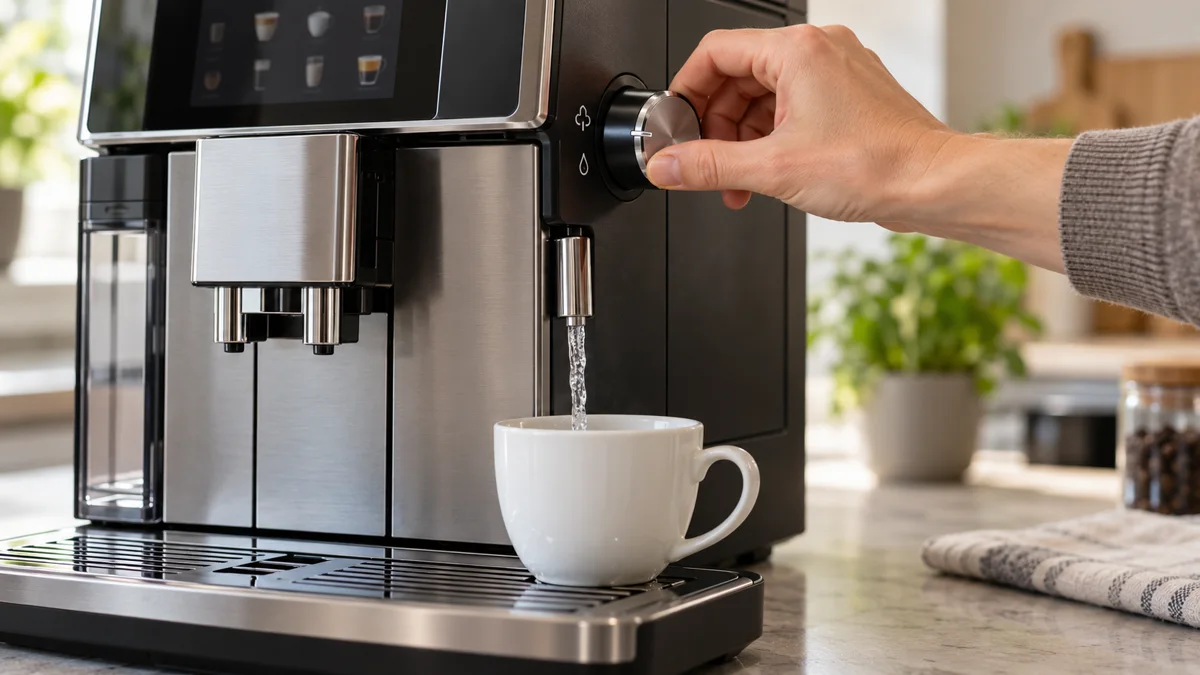
Some Jura machines have a manual valve. Jura’s manuals call it the “switch for hot water and steam preparation”. On older machines it is the “steam / hot water draw-off tap”. When a program needs water or steam to leave through the frother or the hot-water nozzle, the display asks you to open it. When the step is done, the display asks you to close it.
The exact wording depends on the display:
| What the display shows | Models where Jura documents it |
|---|---|
| ’Switch open’ / ‘Switch close’ | E6, IMPRESSA F8 (color display) |
| SWITCH OPEN / SWITCH CLOSE | IMPRESSA F7, IMPRESSA C60 and C65 (text display) |
| OPEN TAP / CLOSE TAP | ENA 9 One Touch, IMPRESSA F50 (as REPLACE OPEN TAP), IMPRESSA XF50 |
| No text - the light segment by the switch flashes | IMPRESSA C5 |
Owners often say “open switch”. Jura’s English manuals print “Switch open”. It is the same prompt.
Two points prevent most confusion:
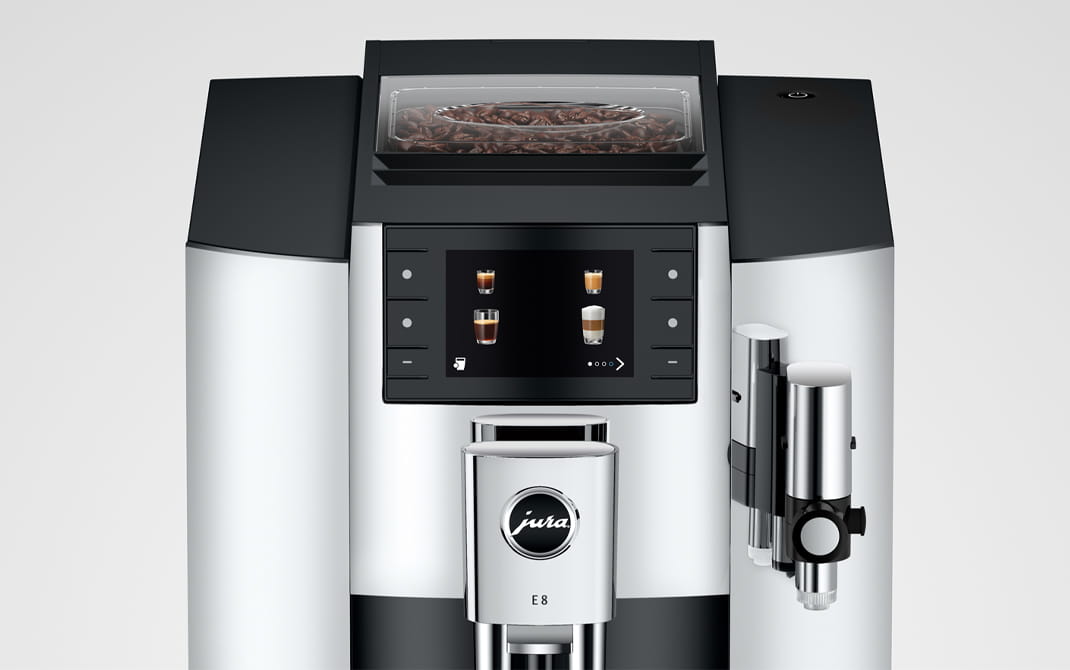
- It is not the Rotary Switch. The IMPRESSA F7, F8, C60 and C65 have two rotating controls. The Rotary Switch on top moves through the menu. The switch for hot water and steam preparation is a separate control. The prompt always means the second one.
- Open is anticlockwise. Close is clockwise. The manuals for the E6, F7, F8 and C60/C65 state that you turn the switch clockwise to interrupt a filter rinse and anticlockwise to continue it. Jura’s support page for the ENA 9 One Touch gives the same directions.
For the symbols that newer machines show in place of text, see the Jura symbols and icons guide.
When Does the Prompt Appear?
The prompt is part of normal operation. Jura’s manuals show it in these situations:
| Situation | What happens after you open the switch |
|---|---|
| First-time use | ”System is filling” - water flows out of the frother |
| Filter inserted or changed | The filter is rinsed with about 10 oz (300 ml) on the E6, F7 and F8, about 500 ml on the C60/C65 |
| Cappuccino or milk foam | The prompt appears as soon as the machine has heated up |
| Hot water | The preset amount of water flows into the cup |
| Milk system rinse and milk system cleaning | The frother is rinsed. Cleaning asks for the switch twice: once for the cleaner, once for fresh water |
| Descaling | The switch is opened and closed twice: once with the descaling solution, once with fresh water |
| Switching off after a milk drink (F7, F8) | The frother is rinsed before the machine switches off |
| Emptying the system for transport | Steam is discharged until the system is empty |
So a machine that asks for the switch every time you make a cappuccino is not faulty. That is how these models work.
Owners also report the system-filling prompt after the tank has run dry or after long storage. Jura’s manuals do not describe that case, but the steps are the same.
The Normal Sequence at First Use
This is the sequence in Jura’s manuals for the E6, IMPRESSA F7, F8 and C60/C65 when no filter is activated:
- The display asks you to fill the water tank. Rinse the tank, fill it with fresh, cold water and reinsert it.
- “Switch open” appears. On the F7 an arrow on the switch lights up. On the C60/C65 a light segment on the switch lights up.
- Place a receptacle under the frother and one under the coffee spout.
- Turn the switch to the open position. “System is filling” appears and water flows out of the frother.
- “Switch close” appears. Turn the switch back to the closed position. On the F7 the lit arrow goes out.
- “System is filling” appears once more. The machine heats up and rinses through the coffee spout. It is then ready.
With a filter, step 4 is a filter rinse. It stops automatically, and only then does “Switch close” appear.
The tap generation follows the same order. The IMPRESSA XF50 manual lists OPEN TAP, SYSTEM FILLING, CLOSE TAP, SYSTEM FILLING, HEATING.
The key point: you do not decide when to close the switch. The machine stops the flow and then shows the close prompt. If you close the switch early during a filter rinse, the rinse is interrupted, and the machine waits for you to open the switch again.
Stuck on the Prompt: Causes in Order of Likelihood
The order below is ours. It starts with the checks that cost nothing. Each cause states where it comes from.
1. The wrong control was turned, or the switch is not fully open
This is our reasoning from the control layout, not a statement from Jura. On the F7, F8, C60 and C65 the Rotary Switch on top does nothing here. Find the switch for hot water and steam preparation. Turn it anticlockwise as far as it goes.
2. The machine is still running the step
A filter rinse runs until about 300 ml or 500 ml has passed. Descaling sends water out of the frother “repeatedly”, with pauses. During a pause the machine looks stuck. Leave the switch open and wait for the close prompt. Jura’s manuals say the descaling program takes about 40 minutes and must run to the end. If a descale has stopped part way, our guide on descaling that will not finish covers the restart.
Also check what the display says now. On the F7, PRESS RINSE means the machine wants you to press the Maintenance button to continue a maintenance program that was already started. ‘Too hot’ means the system must cool before a maintenance program can start.
3. Water cannot leave the tank
If you open the switch and no water comes out, start at the tank. These checks are from Jura’s manuals:
- Tank seated. Remove the tank, fill it with fresh, cold water and reinsert it firmly.
- Float trapped. Jura’s troubleshooting table has an entry for a fill-tank message that shows although the tank is full: “The water tank float is trapped.” Jura’s action is to descale the water tank. Check that the float moves freely before you look further.
- Filter not clicked in. On the E6 the CLEARYL Smart cartridge must be turned clockwise “until it audibly clicks into place”. On the F7 the filter holder must click shut. A cartridge that is not locked lets the pump draw air.
For a Trapped Tank Float
Jura Descaling Tablets
Jura’s fix for a float that sticks is to descale the water tank. The same tablets run the machine’s descaling program.
4. The frother connector is blocked
This cause is in Jura’s manuals for the E6, F7 and F8, and it fits this fault exactly. During these steps the water leaves through the frother. Jura’s troubleshooting table says:
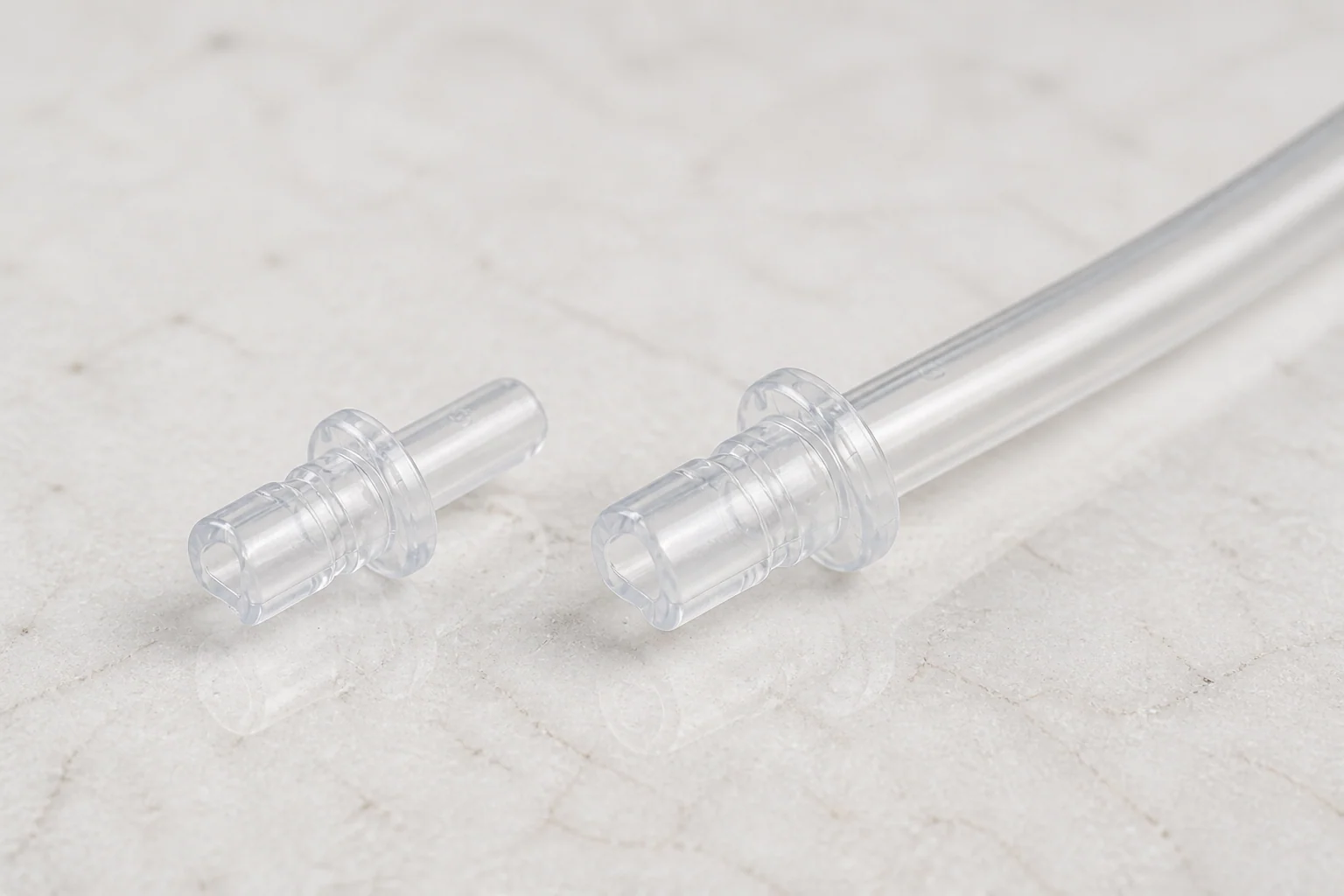
Little or no water or steam comes out of the fine foam frother. The pump is very quiet. - The connector of the fine foam frother may be blocked by milk residues or limescale fragments loosened during descaling.
Jura’s steps: remove the fine foam frother, unscrew the black connector, clean it thoroughly, and screw it back on by hand. On the F7 and F8 the hexagonal hole in the ground coffee measuring spoon fits the connector. Tighten it by no more than a quarter turn. Our own addition: repeat the step with the frother removed. If water now flows freely, the blockage was in the frother or the connector. The milk frother troubleshooting guide covers the frother itself.
5. Air in the water path
This cause is reported by repair technicians. It is not in the owner manuals. After a dry tank, a filter change or long storage, the pump can hold air and fail to draw water. You hear the pump run, but nothing comes out with the switch open.
The steps to re-prime the machine are in Jura no water coming out, and the short version is in the System Filling section of our troubleshooting guide.
6. The machine does not register the switch
This cause is also reported by repair technicians, not by Jura’s manuals. The machine reads the position of the switch. If that reading fails, the display stays on the open prompt with the switch open, or stays on the close prompt with the switch closed. Technicians name the position sensor at the switch and the valve behind it as the usual parts.
One sign you can check: on the F7 the arrow on the switch goes out when the switch is closed. An arrow that stays lit with the switch fully closed suggests the position is not read. This is our reading of the manual, not a statement from Jura.
There is no owner fix for this cause. Do not force the switch past its stop.
Model Notes
- E6: Every milk and hot water function uses the switch. See our E6 review.
- IMPRESSA F7 and F8: Both ask for the switch at switch-off if you prepared milk.
- IMPRESSA C5: There is no text. The light segment by the switch flashes when the machine wants the switch turned, and lights steadily while water flows.
- Tap generation (IMPRESSA F50, XF50, ENA 9 One Touch): OPEN TAP and CLOSE TAP. The XF50 manual warns that some water may be released before the tap is closed, so keep the receptacle in place.
- Newer machines without a side switch: They do not show this prompt. A Z10 that stops at a tank prompt is a different fault. See Z10 stuck on “Remove tank then fill”.
When Is It a Repair Job?
Use this rule. The correct switch is fully open, the tank is full and seated, the float moves, the filter is locked, and the connector is clean. If no water flows, or water flows but the prompt never changes, the fault is inside the machine.
Note what the pump sounds like and whether a numbered error appears. Jura’s manuals say to switch the machine off and contact customer support for ERROR messages. The error codes guide lists them.
Most machines that show these prompts are older models. Compare the repair price with the value of the machine. The repair vs replace guide has the cost table by fault type.
Repair Service
Still Stuck on Open Switch or Open Tap?
Send us the model, the display text, and what the pump sounds like with the switch open. We will look for an experienced Jura repair technician who covers your area. There is no obligation to proceed.
Frequently Asked Questions
What does Open switch mean on a Jura?
It is a prompt to turn the switch for hot water and steam preparation to its open position. Jura manuals print it as “Switch open”. It is not an error.
Which way do I turn the switch on a Jura?
Anticlockwise to open, clockwise to close.
Why is my Jura stuck on Open switch after I turned the switch?
Either water cannot reach the outlet or the machine does not see the switch move. Check the correct switch, the tank, the float, the filter and the frother connector first.
What is the difference between Open switch and Open tap?
They are the same instruction on different generations of machine.
Why does my Jura say Close switch and stay there?
The step has finished. Turn the switch clockwise to its stop. If the prompt stays, the machine is not registering the position, and it needs a technician.
Does every Jura show Open switch?
No. Only models with a manual switch or tap for hot water and steam show it.
Related
- Jura No Water Coming Out
- Jura Troubleshooting Guide
- Jura Descaling Not Working
- Jura Symbols and Icons Guide
As an Amazon Associate, we earn from qualifying purchases at no extra cost to you.