The J.O.E. (Jura Operating Experience) app lets you control your Jura machine from your phone. You can start a drink remotely, customize drink parameters, get maintenance reminders, and track usage data. Here is what it actually does in practice and which machines support it.
Which Jura Models Support J.O.E.
If you want an app-controlled Jura espresso machine out of the box, the Z10, S8, J8, and WE8 are the models with built-in WiFi - no adapter, no extra purchase. Most other Jura models can still be app-controlled, but only after adding a Smart Connect or WiFi Connect adapter to the accessory port - the exception is the ENA 4, which has no wireless support at all.
| Model | WiFi | J.O.E. Support | Notes |
|---|---|---|---|
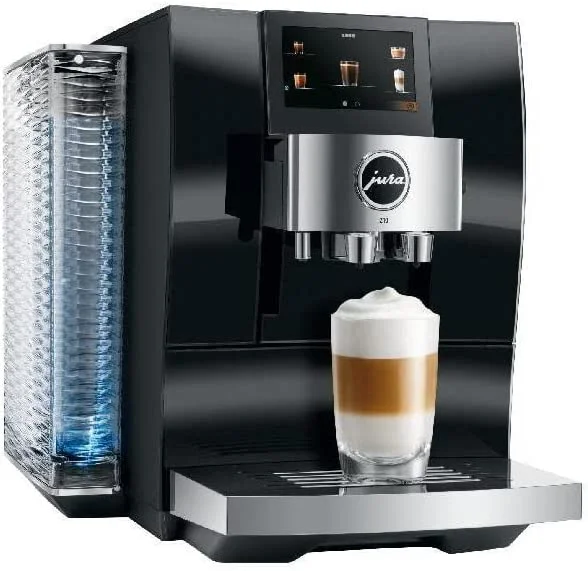
| Jura Z10 | Built-in | Yes | Native, no adapter needed |
| Jura S8 | Built-in | Yes | Native, no adapter needed |
| Jura J8 | Built-in | Yes | Native, no adapter needed |
| Jura WE8 | Built-in | Yes | Native, includes fleet management features |
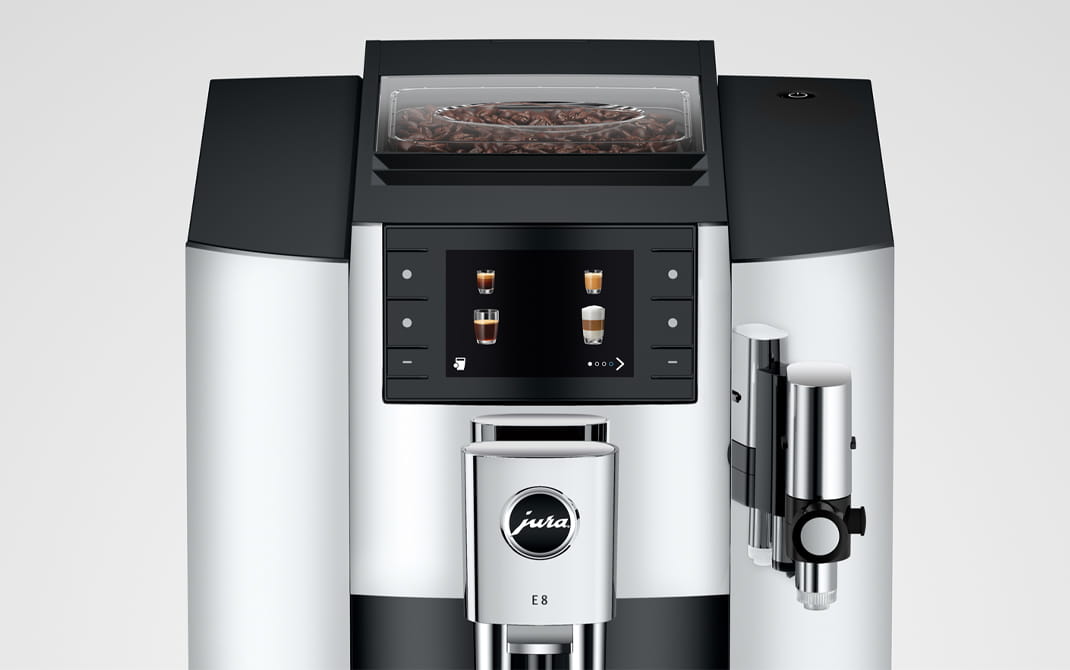
| Jura E8 | No (adapter needed) | Yes with adapter | Requires Jura WiFi Connect (~$35) |
| Jura ENA 4 | No | No | No wireless support |
| Jura E6 | No | Yes with adapter | Requires Smart Connect Bluetooth adapter |
| Jura D6 | No | Yes with adapter | Requires Smart Connect Bluetooth adapter |
The E8 can use J.O.E. but requires purchasing a separate WiFi Connect adapter. On premium models (Z10, S8, J8, WE8), WiFi is built in. The Z10 is the flagship of that group - our Jura Z10 review covers what the machine offers beyond app control, including cold extraction.
How to Set Up J.O.E.
Step 1 - Download the app J.O.E. is available on iOS and Android. Search “Jura Operating Experience” in the App Store or Google Play.
Step 2 - Enable WiFi on your machine On models with built-in WiFi (Z10, S8, J8, WE8): go to Settings > WiFi on the machine display. On the E8 with adapter: connect the WiFi Connect adapter to the machine’s accessory port first.
Step 3 - Connect to your network The app walks you through connecting the machine to your home WiFi network. You will need your network password. The machine creates a temporary access point during setup - connect your phone to it, then transfer your home network credentials. The process takes about 3-5 minutes.
Step 4 - Pair your account Create a J.O.E. account and pair it with your machine. This stores your personal drink settings in the cloud, which is useful if you replace your machine or reset it.
Troubleshooting setup: If the connection fails, check that your router is set to 2.4GHz network (the Z10 and S8 connect on 2.4GHz, not 5GHz). See our Jura WiFi troubleshooting guide for detailed connection fixes.
What J.O.E. Actually Does
Remote brewing
You can start a drink from your phone while the machine is warming up - useful for starting your coffee from bed before getting up, or starting a drink in the kitchen while finishing a meeting. The machine must be powered on and in standby for remote start to work.
You can also send a drink command when you leave the office: “start a lungo in 10 minutes” so it is ready when you arrive.
Custom drink programming
This is the most useful feature for regular users. For each drink specialty, you can adjust:
- Volume (e.g., set your cappuccino to 180ml instead of the default 160ml)
- Strength (1-10 scale)
- Temperature (low/medium/high/extra high on supported models)
- Foam density (for milk drinks: thin/medium/thick)
Changes made in the app sync to the machine and are saved per user profile. This means a 2-person household can have fully different settings for “my espresso” and “your latte” without sharing a generic machine profile.
Personal profiles
Create up to 8 user profiles on most models. Each profile saves custom settings for each drink type. You switch profiles via the app or on the machine display. Useful for households where different people have different preferences.
Maintenance tracking
The app shows the maintenance status of your machine - how many cups until the next cleaning cycle, descaling reminder countdown, water filter status. It sends push notifications when maintenance is due, which is more reliable than remembering to check the machine display.
For the WE8 in an office context, the app adds consumption analytics: total drinks per day, most popular specialty, which user accounts use the machine most. Useful for facilities management.
Product store
The app includes a link to Jura’s accessory store. This is primarily a marketing feature - not a reason to use the app, but it is there.
Personal Profiles: Setting Up Multiple Users
The personal profiles feature is underused. Here is how to get the most from it:
- In the app, go to Profile > Create New Profile
- Name it (e.g., “Morning espresso” or your name)
- Customize each drink you regularly make - strength, volume, temperature, foam density
- Save and sync to the machine
Once profiles are set up, switching between them on the machine display takes 2 seconds. Each person in a 2-4 person household gets their exact drink without adjusting settings every morning.
Does J.O.E. Work Without WiFi?
Partially. The machine operates completely normally without an app or WiFi connection. All 17-32 specialties are available through the physical display. You only lose:
- Remote start
- App-based settings changes
- Push notifications for maintenance
- Cloud profile backup
If your router is down or you are traveling, your machine works fine without J.O.E.
What Is the Difference Between Jura Smart Connect and WiFi Connect?
Smart Connect is Jura’s older Bluetooth adapter and WiFi Connect is the newer WiFi transmitter - both plug into the same accessory port and both let J.O.E. control the machine. Smart Connect pairs directly with your phone over Bluetooth with a range of roughly 3 meters, so your phone has to be in the same room. Per Jura’s accessory listing, it fits the D6, E6, E8 (2018 generation - see how the E8 generations differ), J6, S8, Z6, and WE8. WiFi Connect joins your home network instead, so it works from anywhere in the house, supports several phones at once, and can link accessories like the Cool Control milk cooler simultaneously. If your machine supports both, buy WiFi Connect; if you own an older Bluetooth-only model, Smart Connect is the only option.
Does J.O.E. Work with Older Jura Machines Like the E6 or D6?
Yes - the E6, D6, Z6, J6, and 2018-generation E8 all work with J.O.E. through the Smart Connect Bluetooth adapter, sold separately. The adapter plugs into the accessory port behind a small cover on the machine. Expect the core features: drink customization, remote start from within Bluetooth range, and maintenance status. What you do not get is away-from-home control, since Bluetooth does not route over the internet the way a WiFi connection does. If you are choosing between an older E6 and a current model partly for app support, our Jura E6 vs E8 comparison covers what else separates them.
Why Won’t the J.O.E. App Find or Pair with My Jura Machine?
The four most common causes are: your phone is out of Bluetooth range (about 3 meters for Smart Connect), the machine model is not J.O.E.-compatible, the app lacks Bluetooth or Nearby Devices permission on your phone, or the adapter itself needs a reset. Jura’s documented fix for a stuck Smart Connect is to press its reset button for about 5 seconds with a paper clip until the LED flashes 5 times, then pair again from scratch. If scanning shows no machine, tap the ”+” icon in the app to add it manually. For WiFi models that pair but keep dropping, the usual culprit is a 5GHz-only router band - our smart coffee maker troubleshooting guide walks through the network-side fixes.
Do the Jura GIGA 10 and ENA 8 Support J.O.E.?
Yes, both connect to J.O.E. via WiFi Connect. Jura’s compatibility listings show the current North American GIGA 10 works with WiFi Connect, and the current-generation ENA 8 pairs through WiFi Connect V2. The catch is that adapter version matters: Jura publishes per-model lists distinguishing the original WiFi Connect from V2, and an adapter bought for one machine will not necessarily carry over to another. Before ordering, match your exact model generation against the compatibility list on the adapter’s packaging or product page rather than assuming any WiFi Connect will work.
Is the J.O.E. App Free, or Is There a Subscription?
The J.O.E. app is completely free on both iOS and Android, with no subscription and no in-app purchases required for any feature. The only potential cost is hardware: if your machine lacks built-in WiFi, you need a Smart Connect or WiFi Connect adapter (roughly $35-40). The Jura account you create during setup is also free and exists to back up your drink profiles to the cloud. Push notifications for cleaning and descaling are included at no cost, which pairs well with understanding what your machine’s maintenance indicators actually mean when they appear.
Is J.O.E. Worth Using?
The honest answer: it depends on your habits.
J.O.E. is worth it if:
- You have strong preferences for specific drink parameters and want them saved
- Multiple people use the machine with different preferences
- You want maintenance reminders on your phone rather than checking the machine
- You use the remote start feature regularly (common in households with long warm-up routines)
J.O.E. adds less value if:
- You make one or two standard drinks daily and do not customize settings
- You are the only person using the machine
- You find app-based control of an appliance unnecessary
The remote start feature alone is useful enough that most WiFi-capable machine owners end up using it regularly. The profile system is genuinely valuable for multi-person households.
Built-In WiFi
Jura S8
Native J.O.E. support, 4.3” touchscreen, HP3 fine foam. No adapter needed.
Check S8 Price →Flagship with J.O.E.
Jura Z10
Full J.O.E. support plus cold brew, P.R.G. grinder, 32 specialties.
Check Z10 Price →FAQ
Does J.O.E. work on the Jura E8? Yes, but you need the Jura WiFi Connect adapter (~$35), sold separately. Once connected, the E8 supports all J.O.E. features except the app-based touchscreen functions available on S8 and Z10.
Can I use J.O.E. away from home? Remote start and notifications work over the internet, not just local WiFi. As long as your machine and phone are both connected to the internet, remote control works from anywhere.
How many devices can connect to one machine? Multiple devices can connect to one machine through the J.O.E. app. Each family member or office user can have the app on their phone linked to the same machine.
Does the app work on both iPhone and Android? Yes. J.O.E. is available on iOS 12+ and Android 5.0+.
What if I change my WiFi router or password? You will need to reconnect the machine to your new network. Go to Settings > WiFi on the machine display and re-enter your credentials.
See also: Jura Z10 WiFi Connection Problems | Jura Z10 Review | Jura S8 Review | Jura J8 Review