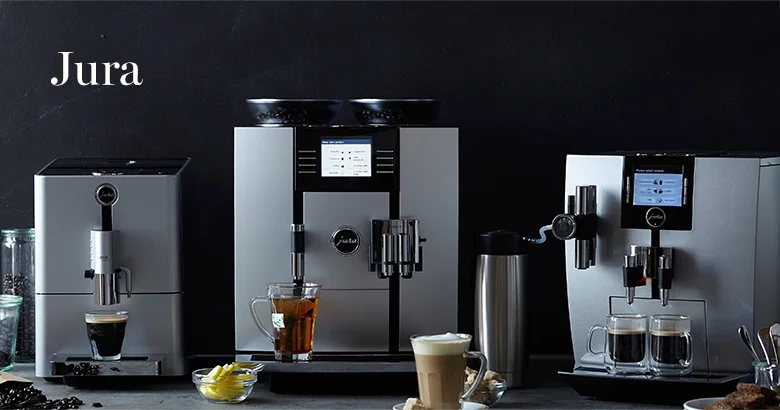
Jura machines communicate through a combination of symbols, icons, and text prompts on the display. If you are staring at an icon you do not recognize, this is the reference guide.
Maintenance and Status Symbols
These are the most common symbols users search for - they appear as prompts or warnings during normal operation.
Water Drop / Tank Symbol
What it means: The water tank is empty or nearly empty. Remove the tank, fill it to the MAX line with fresh water, and reinsert it firmly. The machine will resume once it detects a full tank.
Note: If the symbol persists after refilling, check that the tank is properly seated. The I.W.S. (Intelligent Water System) sensor needs the tank fully clicked into position to register it as full.
Bean / Coffee Bean Symbol
What it means: The bean hopper is empty or below the minimum level. Add fresh beans and confirm on the display. If the symbol appears when beans are visible in the hopper, there may be a bridging issue (beans clumped and not falling through). See our fill beans error guide for the fix.
Drip Tray Symbol
What it means: The drip tray is full. Remove the tray, empty it, rinse it, and reinsert. The tray indicator (the small float inside the drip tray) should drop back down once the tray is empty and reseated.
Grounds Container Symbol
What it means: The grounds container (puck drawer) is full. Remove it, discard the pucks, rinse the container, and reinsert. Important: always do this with the machine powered on - Jura machines reset the grounds counter when the drawer is removed and reinserted during operation.
Coffee Cup with Steam / Brew Symbol
What it means: The machine is ready to brew. This is the standby/ready state on many models.
Rotating Circle / Loading Symbol
What it means: The machine is warming up, running a program, or performing an automated cycle (rinse, cleaning, descaling). Do not interrupt this - let the cycle complete.
Cleaning and Maintenance Symbols
Cleaning Tablet Symbol (Tablet / Pill Icon)
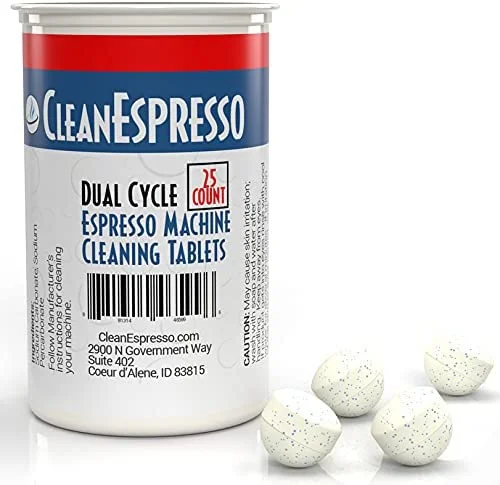
What it means: The cleaning cycle is due. The machine has counted approximately 200 cups since the last cycle (or however many your model is set to). Drop one Jura cleaning tablet into the pre-ground coffee chute (bypass doser), not the bean hopper, and follow the on-screen prompts.
How long it takes: 10-15 minutes. The machine runs automated water cycles through the brew group.
Keep These Stocked
Jura Cleaning Tablets
One tablet per cycle, every 200 brews. Official formula - safe for all current Jura models including E8, Z10, S8, and ENA series.
Descaling Symbol (Water + Scale / Mineral Icon)
What it means: Descaling is due. This typically appears every 2-3 months depending on water hardness and usage. Follow the steps in our descaling guide. Do not ignore this prompt - scale buildup permanently damages heating elements.
Don’t Delay This One
Jura Descaling Tablets
3 tablets per cycle, every 2-3 months. Scale on the boiler causes low temperature, weak coffee, and early machine failure.
Filter Symbol (Water Drop with Grid)
What it means: The CLARIS water filter needs replacement. Jura recommends replacing the filter every 2 months. Remove the old filter from the water tank, insert a new one, and confirm the replacement on the display so the machine resets the filter counter.
Every 2 Months
Jura CLARIS Smart Filter
Softens water before it reaches the boiler. Extends descaling intervals from monthly to 3-6 times per year. Available in single and 3-pack.
Wrench / Tool Symbol
What it means: Professional service is recommended. This appears after a set number of cups (model-dependent, typically 5,000-10,000 cups). It means the machine is due for o-ring replacement and brew group inspection at a Jura service center. See our maintenance guide for what professional service involves and when it is worth doing.
Milk Circuit Symbol (Milk Jug / Tube Icon)
What it means: The milk system needs a rinse or cleaning cycle. On models with the automatic milk frothing system, this prompt appears after milk-based drinks. Fill a small cup with water and place it under the milk spout to allow the flush cycle to complete.
Brewing and Drink Icons
Espresso Cup (Small Cup) Icon
The short cup icon - typically represents espresso or ristretto. Tapping or selecting this initiates a short shot.
Coffee Cup (Tall/Regular Cup) Icon
Represents a regular coffee, lungo, or Americano - longer extraction volumes.
Two-Layer / Layered Cup Icon
Typically represents latte macchiato or layered milk drinks where milk is dispensed first, then coffee.
Foam / Milk Froth Wave Icon
Indicates a milk-based drink or activates the milk frothing function on the selected drink.
Milk Jug with Arrow Icon
Indicates the machine is drawing milk through the frothing tube. This appears during milk dispensing in automatic milk drinks.
Thermometer Icon
Represents temperature adjustment. On models with temperature settings (E8, S8, Z10), selecting this allows you to increase or decrease the brewing and milk temperature for the current drink.
Gear / Settings Icon
Opens the settings menu. From here you access grinder settings, drink volume customization, language, maintenance programs, and WiFi settings.
Error State Symbols
Flashing or Blinking Symbol
Any symbol that flashes or blinks requires attention. Common flashing states:
- Flashing water drop: Fill tank before the machine can continue
- Flashing coffee bean: Fill hopper before brewing
- Flashing drip tray icon: Empty tray before brewing continues
Red vs. Yellow Symbol Colors
On models with color indicators:
- Yellow/amber: Prompt or reminder that should be addressed soon but is not blocking operation
- Red or blinking: Blocking - the machine will not brew until the issue is resolved
Exclamation Mark / Warning Symbol
What it means: An error condition. The display typically shows a number alongside the exclamation mark (e.g., ”! 8”) which corresponds to a specific error code. See our Jura error codes guide for the full list with solutions.
Model-Specific Notes
Touchscreen models (S8, Z10, J8, WE8)
On touchscreen models, most “symbols” are replaced with text labels and animated icons that are easier to interpret. The icons listed above still appear but with supporting text.
Older models (Impressa series)
Older Jura models (Impressa J9, Impressa Z6) use a different icon set with more abstract symbols. The principles are the same - water, beans, grounds, cleaning, descaling - but the visual appearance differs from current models.
Display language
If your Jura is displaying symbols in a language you do not read, you can reset the display language in Settings > Language. On most models, this is accessible even without understanding the current language by navigating to the gear icon > last or second-to-last menu option.
Quick Reference Card
| Symbol | Meaning | Action |
|---|---|---|
| Water drop | Tank empty | Fill water tank |
| Bean/coffee icon | Hopper empty | Add whole beans |
| Drip tray icon | Tray full | Empty drip tray |
| Grounds icon | Grounds full | Empty grounds container |
| Tablet/pill icon | Cleaning due | Run cleaning tablet cycle |
| Mineral/scale icon | Descaling due | Run descaling cycle |
| Filter icon | Filter change | Replace CLARIS filter |
| Wrench icon | Service due | Book professional service |
| Milk tube icon | Milk rinse needed | Run milk circuit rinse |
| ! with number | Error code | Check error codes guide |
Recurring Maintenance Prompts?
If the wrench icon keeps appearing, it may be time to upgrade
Machines showing repeated service prompts after 6-8 years often cost more to repair than they are worth. The Jura E8 starts fresh - new grinder, new brew unit, 2-year warranty, and 8-10 year lifespan.
Free Weekly Alerts
Get a Free Jura Symbol Cheat Sheet
We email a printable reference for every Jura display symbol, plus occasional maintenance reminders. No spam - unsubscribe any time.
No spam. Unsubscribe any time.
See also: Jura Error Codes Guide | Jura Fill Beans Error Fix | How to Descale Your Jura | Jura Maintenance Guide